
News ·
Stop the Drop!
How to make and share your own Stop the Drop! levels
Stop the Drop! comes with a level editor, and it is the same one we use to build the main levels. You can make a puzzle in a few minutes, send it to a friend, and watch them try to beat it. Then they build one back. That is how a handful of levels turns into endless hours of fun.
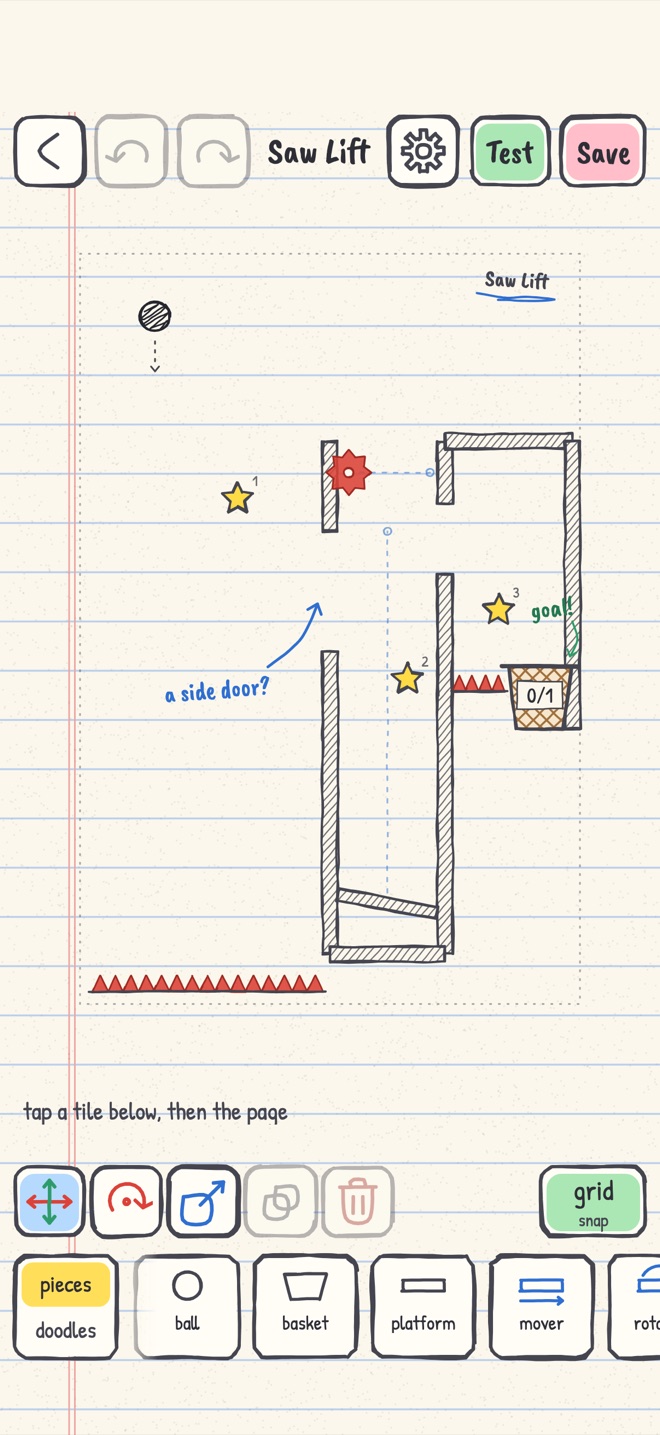
The short version. Open the level editor in the app or in your browser, place a ball and a basket, add walls, spikes, saws or moving platforms, then press Test. Win your own level and keep the drawing as its solution. Saving checks the solution again, and only a level that can be won can be shared. Send it as a link, a QR code or a level file.
Build, test and share a level, step by step
- Open the level editor. It is in the app, and it is complete in the browser version too, with the same pieces and tools. No account is needed.
- Place a ball and a basket. Tap a tile at the bottom, then tap the page. The first two tiles are the ball and the basket, and every level needs both. Balls do not have to start at the top, and a basket does not have to sit below its ball, so the page is yours to arrange.
- Add the obstacles. Place walls, spikes, saws and moving platforms, or switches that set a platform moving. Doodles, arrows and notes on the page can show players where to look.
- Press Test. Play your own level with the brushes a player gets. Change the page until it is a puzzle people will enjoy, not only one you can beat. A little bit evil is allowed.
- Win it, then keep your drawing. When you have won, tap Keep. Your drawing is stored as the level's solution, so even the hardest level has an answer.
- Choose how much to tell friends. Add hint words to your solution, or leave them out and let friends figure it out alone.
- Save it. Every save plays your solutions again. While one still wins, the level stays shareable. If an edit breaks them all, win the level again in Test.
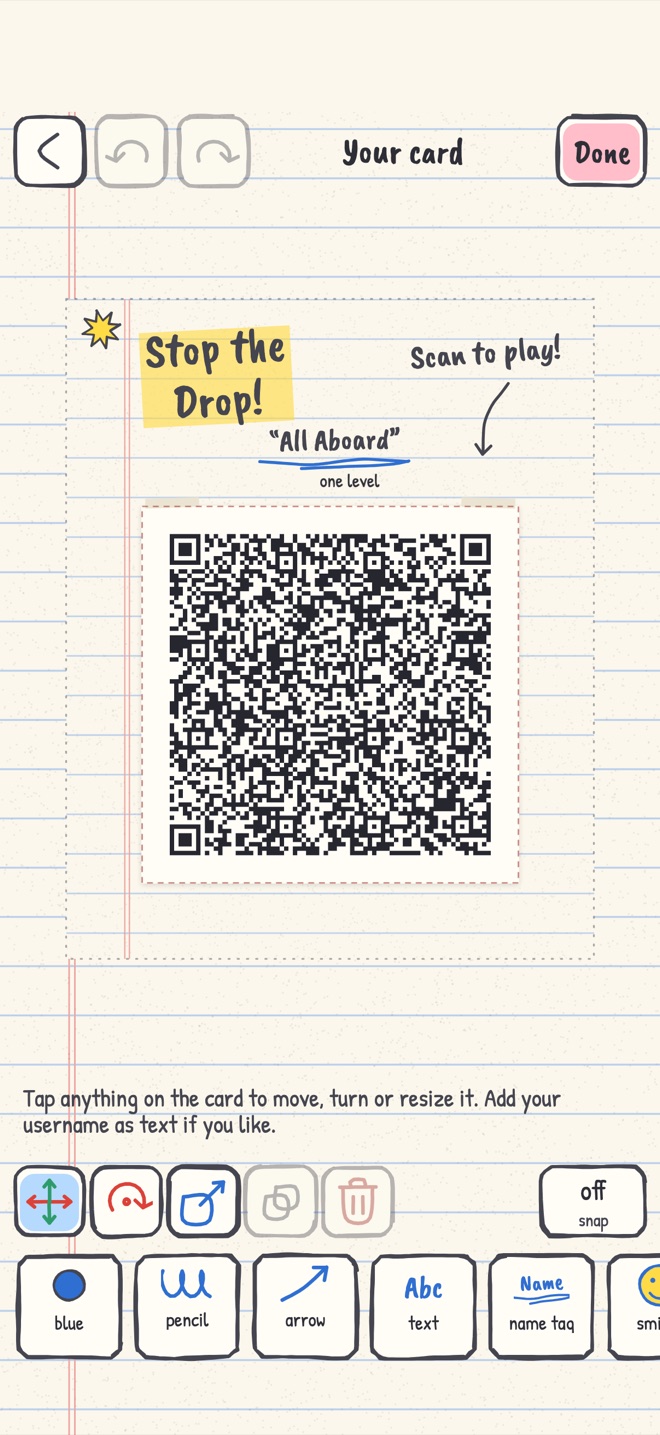
- Share it. Send the level as a link, as QR codes or as a level file, or post it with #StopTheDrop or #MadeInStopTheDrop to challenge your friends.
Every shared level can be beaten
A level has to be won before it can be shared, and it carries the winning drawing as its solution. A friend never opens a level that is secretly impossible. If they get stuck, an answer exists, and you decide whether they see your hints. That fairness is what makes it fun to pass levels around: every puzzle you receive is a puzzle you can solve.
Share with friends in seconds
A shared level travels in the link itself, so there is nothing to upload and no account to make. Send a link in any chat, show a QR code on a screen or on paper, or hand over a level file. A friend who opens the link can play it right away in their browser, and a friend with the app plays it there.
Why build your own levels
- Endless puzzles. Every level you or your friends make is a new one, so the game keeps going long after the main levels.
- A puzzle made for a friend. Build a level for a friend, a classmate or a sibling, knowing exactly what will trick them.
- Make it hard, keep it fair. Because you have to beat your own level, you learn what a good puzzle feels like.
Common questions
Can I use the level editor in my browser?
Yes. The browser version has the complete level editor, with the same pieces and tools as the apps.
Can a friend play my level without the app?
Yes. A shared link opens in the browser version, so a friend can try your level right away.
What if my level cannot be beaten?
Then it cannot be shared. A level has to be won first, and saving checks your solution again.
How do I share a level?
As a link, as QR codes or as a level file. You can also post it with #StopTheDrop or #MadeInStopTheDrop.
Daily challenges are on the way, and you will be able to submit your levels to get them featured as a challenge.
Before this: Play Stop the Drop! in your browser.