
News ·
Stop the Drop!
Play Stop the Drop! free in your browser
Stop the Drop! is a physics puzzle with a hand-drawn look, and it runs in your browser. There is nothing to download and no account to make: open the web version, draw a line, press Start and save the ball.
The short version. Stop the Drop! is a free drawing physics puzzle by Dreaming Chicken. Draw walls, wind and bumpers to steer every ball into its basket. The browser version is free, needs no account, and includes the whole first world and the full level editor. The iOS app is on the App Store, and Android is coming soon.
How the game works
Stop the Drop! is a physics puzzle with many levels and brushes that bend the rules: walls to roll on, wind to push and bumpers to fling. Each level is a page of a notebook. You draw with the brush of the world, press Start, and gravity takes over. Balls do not always start at the top, and a basket is not always below its ball, so the answer is rarely just "down".
The levels get intense: saws, moving platforms, conveyor belts, and switches and pressure plates that turn complex machines on and off. The eraser is unlimited, so a messy plan costs nothing. Collect up to three stars in each level. Sometimes they point to the best solution, and sometimes it takes some patience.
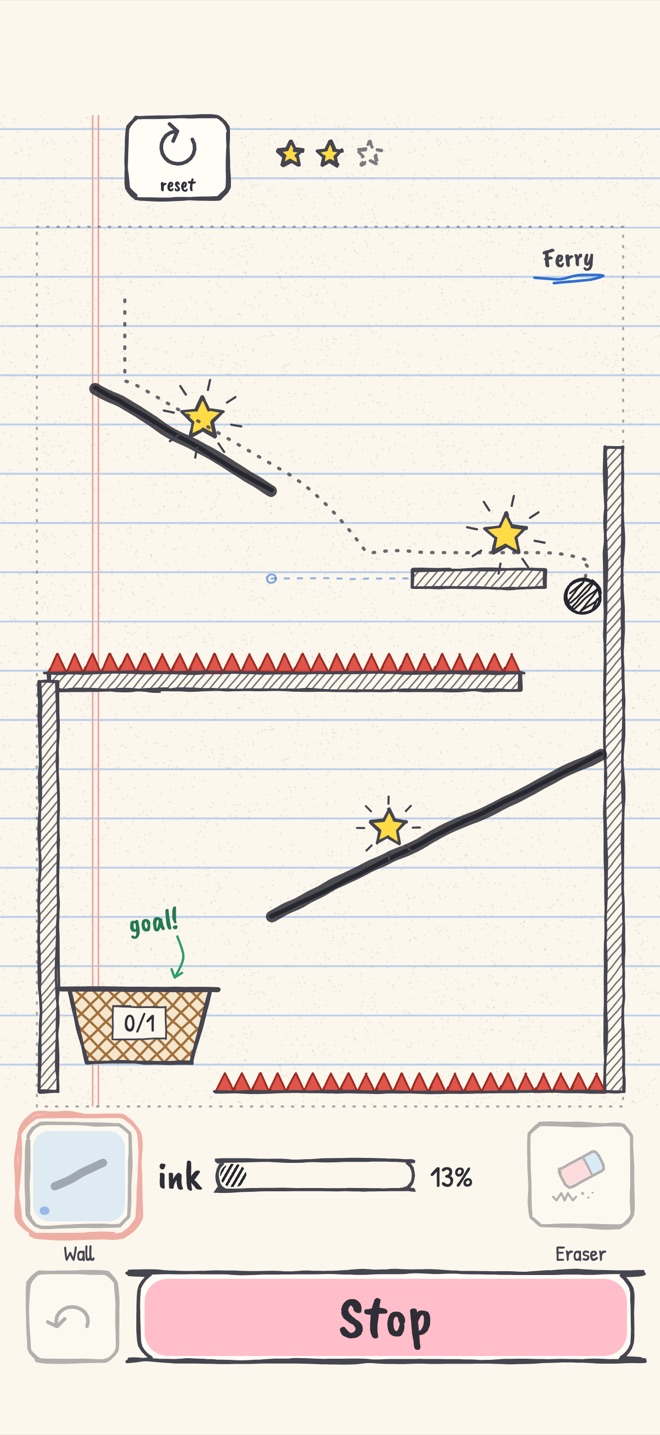
Three worlds, three brushes
Each world introduces a new brush and new mechanics. Walls make the balls collide in the first world, wind pushes them in the second, and bumpers fling them across the screen in the third. And it does not end there: with the level editor you can create your own levels, or play the ones your friends made.
What you can play in the browser
- The whole first world, where walls are the first brush.
- The complete level editor. Build your own levels and share them as a link, as QR codes or as a level file.
- Introductory levels for worlds 2 and 3, a first taste of wind and bumpers.
What the apps add
Every level of all three worlds, and the smoothest play, are in the apps, and they are the best way to play Stop the Drop! The iOS app is on the App Store, and the Android app is coming soon.
On a phone or a computer
The web version works in a current browser on a phone, a tablet or a computer. On a phone you can add it to your home screen to play without the browser bars. If a friend sends you a level link, it opens right in the browser version.
Common questions
Is Stop the Drop! free in the browser?
Yes. The browser version is free, with no account and nothing to download.
Which levels are in the browser version?
The whole first world, introductory levels for worlds 2 and 3, and the complete level editor. All levels are in the apps.
Can I play it on my phone?
Yes. It works in a current browser on a phone, a tablet or a computer, and the iOS app is on the App Store.
Can I make my own levels?
Yes, with the level editor, which is complete in the browser. Share a level with friends as a link, a QR code or a file. A level has to be won before it can be shared, so every shared level can be beaten.